Editor settings
Fonts, margins, checkbox styles, filenames, and attachments.
Preferences → Editor is the largest settings tab. The full list is in the settings reference; this covers what people change most.
Four, set separately:
| Font | Used for |
|---|---|
| Body | Ordinary text |
| Monospace | Code, inline and fenced |
| Heading | Headings |
| Table | Table cells |
Body, mono and table each have their own size. Separate heading and table fonts mean a display face for headings without it leaking into a table.
Margin
Section titled “Margin”How much space sits either side of the text. A wider margin gives a narrower, more readable column in a wide shade.
Code blocks
Section titled “Code blocks”| Setting | What it does |
|---|---|
| Soft wrap | Wrap long lines instead of scrolling |
| Maximum width | Cap how wide a block grows |
| Language header | Show the language above the block |
| Line height | Line spacing inside blocks |
Inline and fenced code each have their own text and background colours, and a colour scope setting controls how far that colouring reaches.
Checkboxes
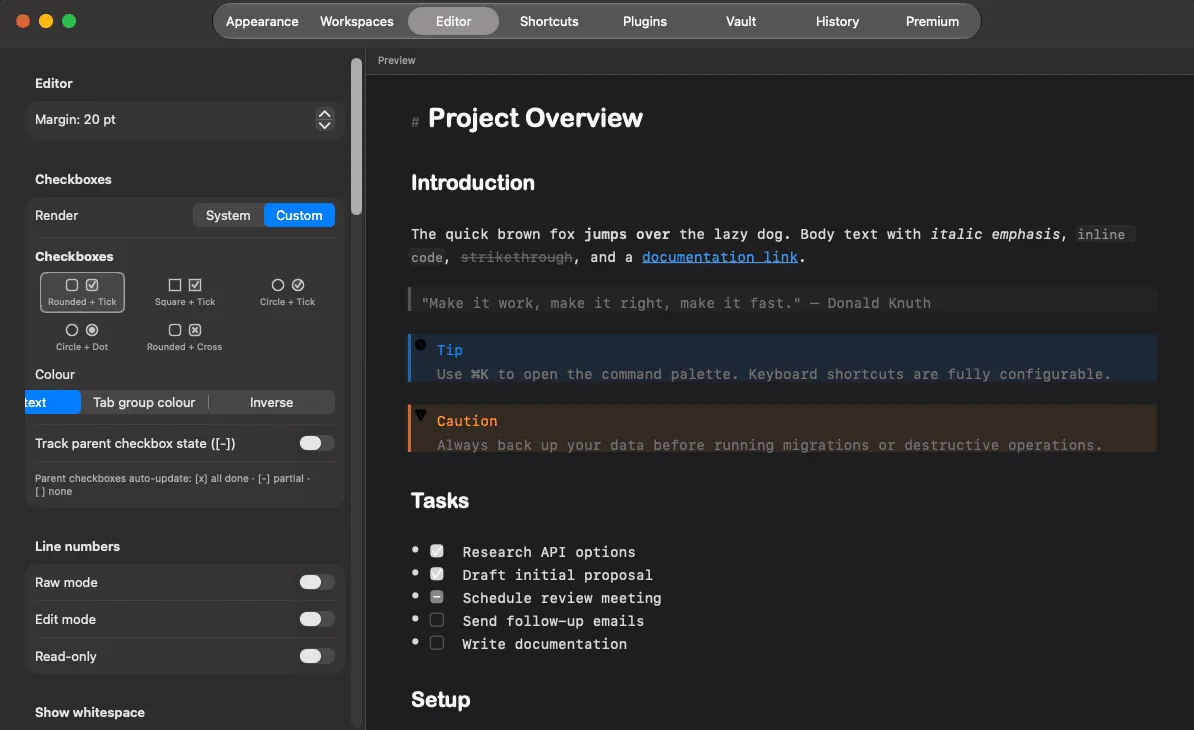
Section titled “Checkboxes”Five styles, a colour mode, and an option to use the system checkbox. → Checkboxes
Automatic continuation
Section titled “Automatic continuation”Four independent toggles: lists, checkbox lists, checkboxes, and blockquotes. Plus parent checkbox tracking, which ticks a parent when all its children are done.
Line numbers and whitespace
Section titled “Line numbers and whitespace”Both configurable separately for raw, editing and read-only modes — six switches. Line numbers in raw mode only is a common setting.
Tables
Section titled “Tables”Row lines, column lines and striped rows, each independent, plus auto-format, which pads the source so pipes align. → Tables
Images
Section titled “Images”The attachments folder name, the drag-resize step, multi-image drop behaviour, and whether GIFs animate. → Images
Preview backend
Section titled “Preview backend”Three rendering engines: TextKit 1, TextKit 2 and Virtual. The default suits most vaults; Virtual is aimed at very large notes. Change it only if you hit a rendering or performance problem worth experimenting with.
Documented against Shady Notes 4.1.19 · release notes