Plugins
What the plugin platform is and how to turn plugins on.
Premium Plugins are one of three features that need a trial or a paid plan. See Licensing.
A plugin is a view over the notes you already have. It does not store data of its own: a Kanban board is your notes arranged by a front-matter field, and a task list is the checkboxes already in them. Turn a plugin off and nothing is lost, because there was never anything but Markdown underneath.
The built-ins
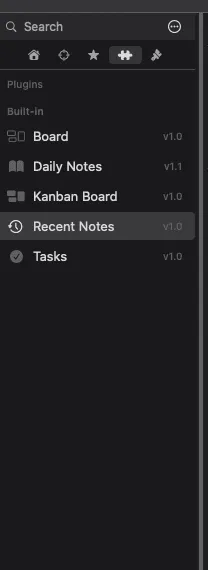
Section titled “The built-ins”| Plugin | What it shows |
|---|---|
| Daily Notes | A dated journal |
| Kanban | A board built from a status field |
| Board | An Obsidian-Kanban-compatible board |
| Tasks | Every checkbox in the vault |
| Recent | Recently modified notes |
Turning them on
Section titled “Turning them on”The puzzle-piece tab in the sidebar lists what is available. Toggle a plugin on and it appears as a tab alongside your notes.
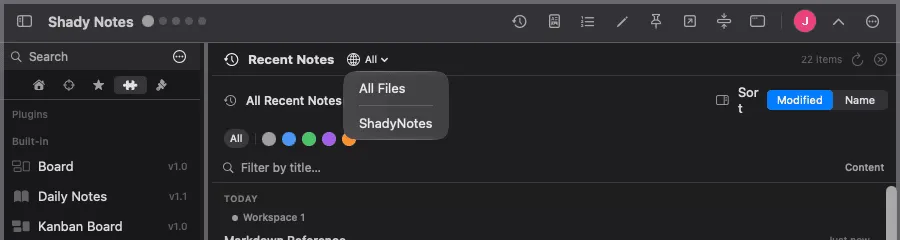
Each plugin is pointed at a folder rather than the whole vault, so a board built
from Projects/ is not confused by everything in Archive/.
Home pages
Section titled “Home pages”A plugin view can be a workspace home page, so switching to Work can open its board rather than a note.
Writing your own
Section titled “Writing your own”Plugins are Markdown files with a front-matter definition — no compiling, no installing a toolchain. → Writing a plugin
Documented against Shady Notes 4.1.19 · release notes