Callouts
Typed callout blocks for tips, warnings, and notes.
A callout is a blockquote with a type marker on the first line. It renders with an icon and its own colour.
> [!TIP]> Type `/callout` to insert one without remembering the syntax.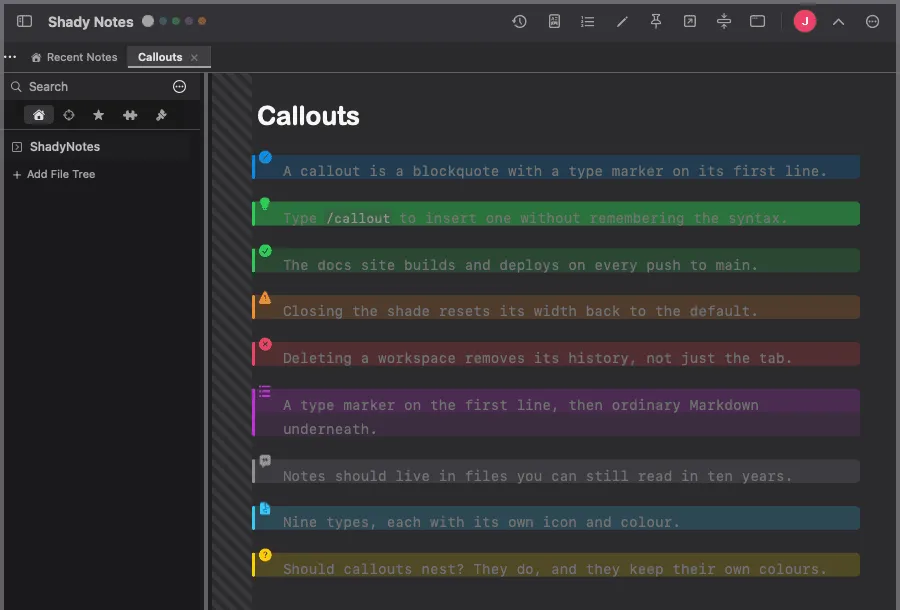
The nine types
Section titled “The nine types”| Type | For |
|---|---|
[!NOTE] | Information, facts |
[!TIP] | Hints and tips |
[!SUCCESS] | Positive outcomes |
[!WARNING] | Cautions |
[!DANGER] | Serious risks |
[!EXAMPLE] | Worked examples |
[!QUOTE] | Quotations |
[!ABSTRACT] | Summaries |
[!QUESTION] | Open questions |
Inserting one
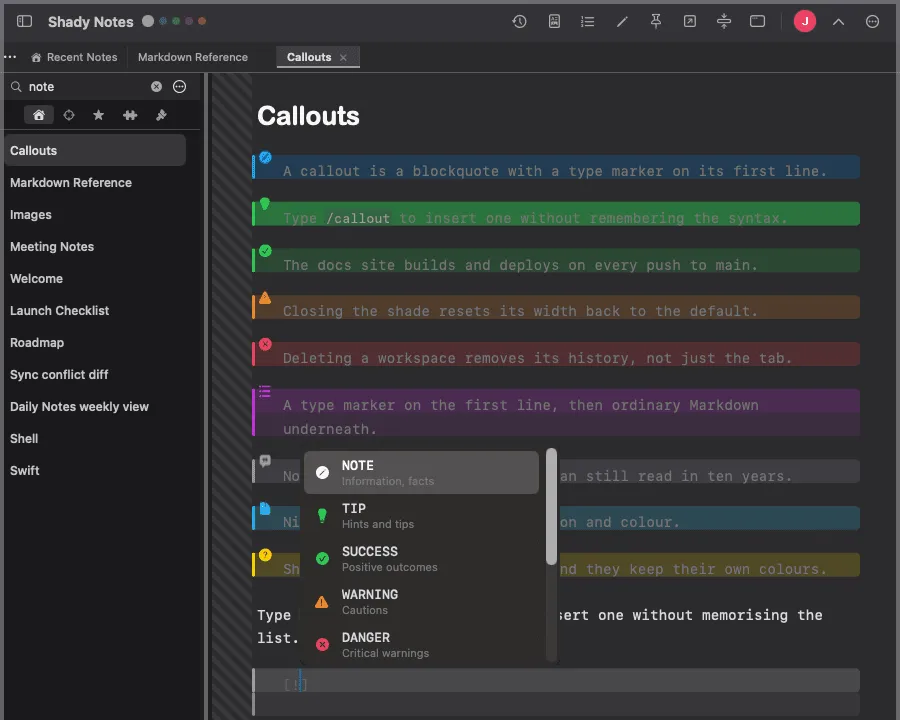
Section titled “Inserting one”/callout opens the type picker rather than making you memorise the list.
Multi-line and nested
Section titled “Multi-line and nested”Every line needs the > prefix, and callouts take ordinary Markdown inside:
> [!WARNING]> Deleting a workspace does **not** delete its notes.>> - The folder stays on disk> - Only the workspace configuration is removedCompatibility
Section titled “Compatibility”This is the same syntax Obsidian and GitHub use, so callouts written here render
in both. An editor that doesn’t know the syntax shows an ordinary blockquote
with [!TIP] as its first line — degraded, but not broken.
Documented against Shady Notes 4.1.19 · release notes