Tables
Write and navigate Markdown tables without counting pipes.
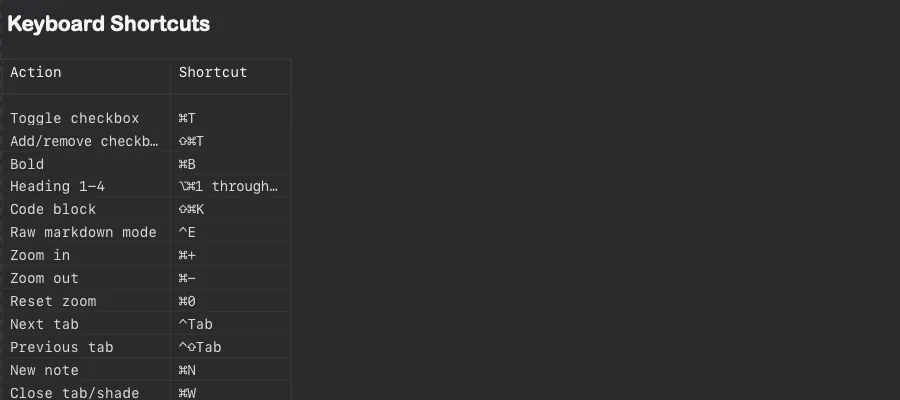
Writing one
Section titled “Writing one”The usual pipe syntax:
| Milestone | Target | Status ||---|---|---|| Public docs | Sep 2026 | In progress || Plugin API v2 | Oct 2026 | Planned |/table inserts a starter skeleton and puts the cursor in the first cell.
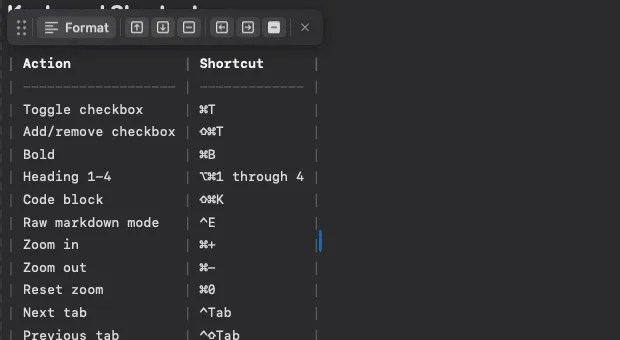
Auto-format
Section titled “Auto-format”With auto-format on (the default), Shady Notes pads the source so the pipes line up as you type. The rendered table is unaffected — this is purely so the raw Markdown stays readable in another editor.
Moving around
Section titled “Moving around”| Action | Key |
|---|---|
| Next cell | ⇥ |
| Previous cell | ⇧⇥ |
| New row below | ⇧↵ |
⇥ in the last cell of the last row adds a new row, so you can fill a table without reaching for the mouse.
The table toolbar
Section titled “The table toolbar”Put the cursor inside a table and a small toolbar appears with row and column operations.
Formatting inside cells
Section titled “Formatting inside cells”Cells take inline Markdown — bold, italic, code, links, and checkboxes:
| Task | Owner | Done ||---|---|---|| Draft **the copy** | @sam | [x] || Review `nginx.conf` | @alex | [ ] |Appearance
Section titled “Appearance”Preferences → Editor controls how tables are drawn:
- Row lines and column lines, independently
- Striped rows
- A separate table font and size
Turning both line settings off gives a plainer look that suits dense tables.
Documented against Shady Notes 4.1.19 · release notes