The git backend
How Shady Notes stores note history, and what it costs on disk.
Revision history is backed by git. Not the git you might already be running in a notes folder — a separate repository the app manages itself.
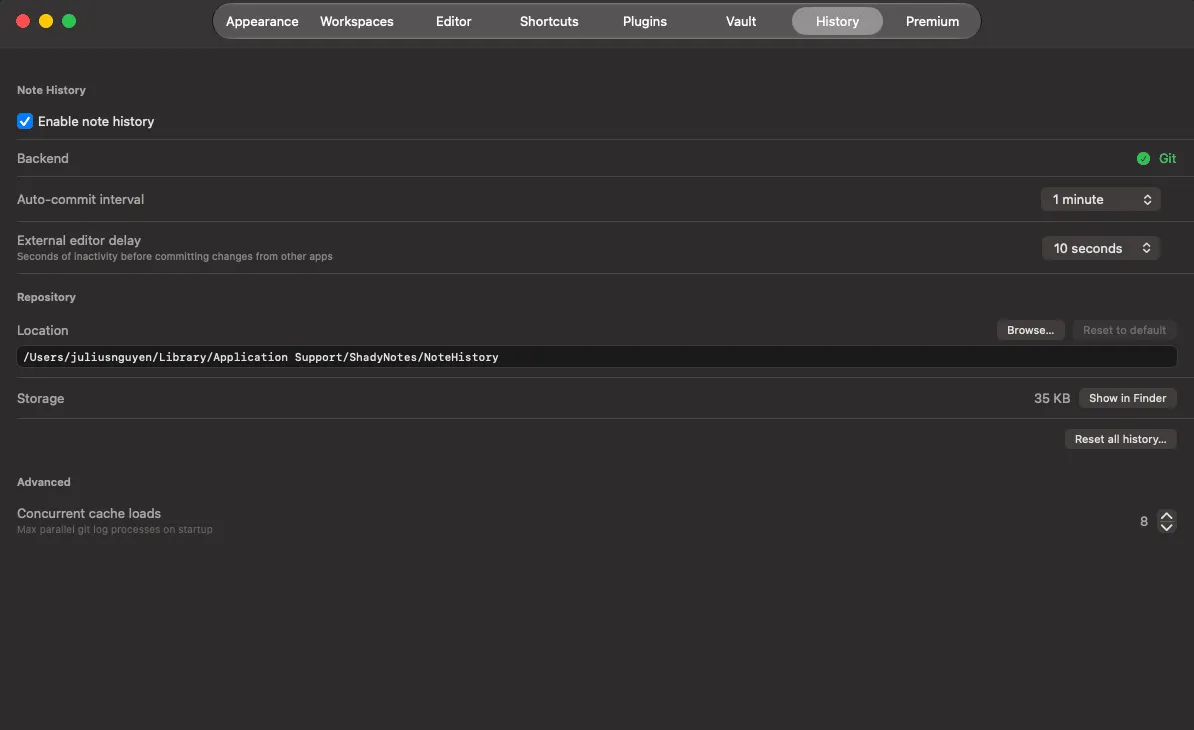
Where it lives
Section titled “Where it lives”Outside your vault, at a path set in Preferences → History. Keeping it elsewhere means:
- your notes folder has no
.gitdirectory in it - a vault you already track in git of your own is not disturbed
- syncing the vault does not sync the whole history
One repository, many workspaces
Section titled “One repository, many workspaces”Inside, each file tree gets its own directory:
<repo>/workspaces/<slug>/The slug is generated once when a tree is created and never changes —
tb08w0k4m2-notes, for example. It combines a creation timestamp, a short hash
of the path, and a readable name, so two trees called notes in different places
never collide, and renaming a folder does not orphan its history.
Settings
Section titled “Settings”| Setting | What it does |
|---|---|
| Repository path | Where the history repo lives |
| Commit interval | Minimum time between recorded versions |
| External change debounce | How long to wait after an outside edit before recording |
| Max concurrent loads | How many histories to read at once when browsing |
The debounce matters if you sync your vault: a sync writing several files at once would otherwise produce a version per file.
Disk usage
Section titled “Disk usage”Notes are small text files and git stores changes compactly, so history is typically a small fraction of the vault’s size. A vault of a few thousand notes edited daily generally stays in the tens of megabytes.
Using git yourself
Section titled “Using git yourself”It is an ordinary repository — git log works. Treat it as read-only: the app
owns it, and hand-committing risks confusing its bookkeeping. To keep your notes
in git yourself, make the vault its own separate repo.
Documented against Shady Notes 4.1.19 · release notes