Shortcuts
Remap the global hotkey and every editor action.
Every keyboard shortcut can be changed or switched off in Preferences → Shortcuts.
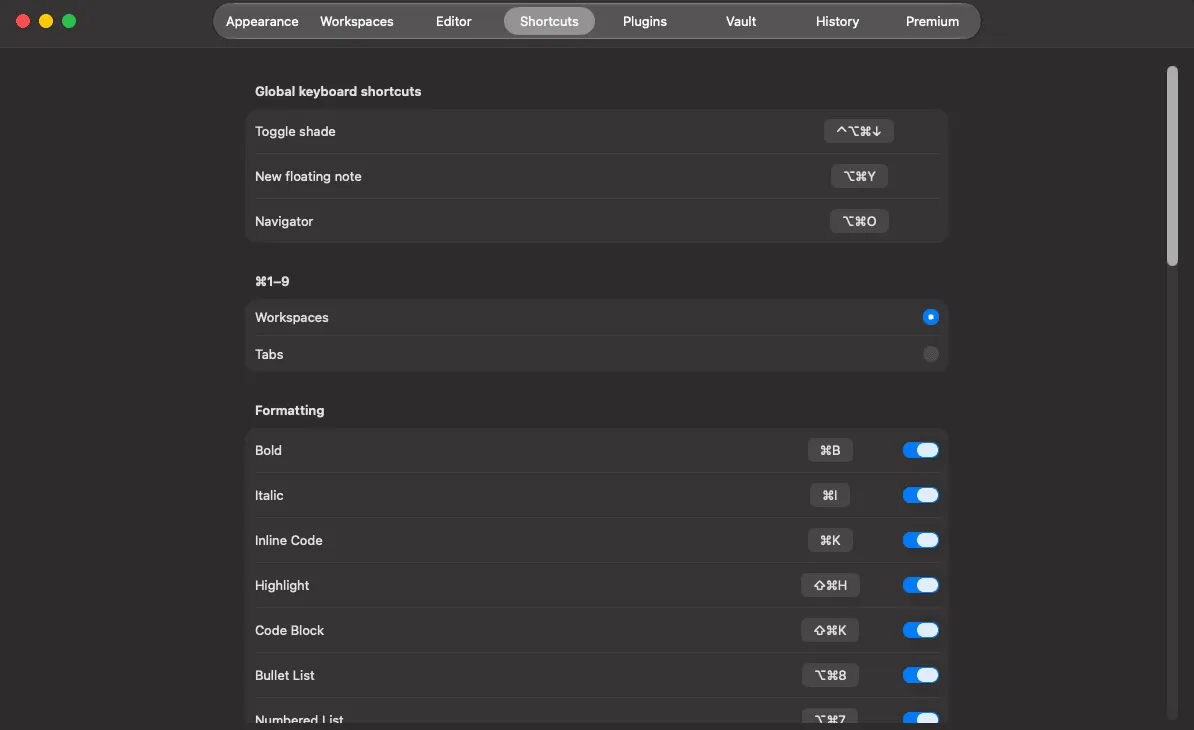
Global hotkeys
Section titled “Global hotkeys”Three shortcuts work from any app:
| Hotkey | Default |
|---|---|
| Toggle the shade | ⌃⌥⌘↓ |
| New sticky note | unset |
| Open the Navigator | unset |
Click the field and press the combination you want. Because these are captured system-wide, pick something no other app claims — if a global hotkey does nothing, a conflict is the usual reason.
Editor actions
Section titled “Editor actions”Thirty-two actions across six groups — formatting, editor, navigation, zoom, headings and Navigator. The full table with defaults is in the keyboard shortcuts reference.
To rebind one, click its shortcut and press the new combination.
Disabling one
Section titled “Disabling one”Every binding can be disabled rather than reassigned. Useful when a Shady Notes shortcut shadows one you rely on in the app underneath.
Restoring defaults
Section titled “Restoring defaults”Any changed shortcut can be reset individually to the default listed in the reference.
What cannot be remapped
Section titled “What cannot be remapped”macOS text-editing shortcuts — ⌘C, ⌘V, ⌘Z and the rest — belong to the system and behave as they do everywhere.
Documented against Shady Notes 4.1.19 · release notes