Themes
Sixteen colour themes, and how to switch between them.
Shady Notes ships sixteen themes. Light themes switch the whole interface — sidebar, toolbar, window materials — not just the text.
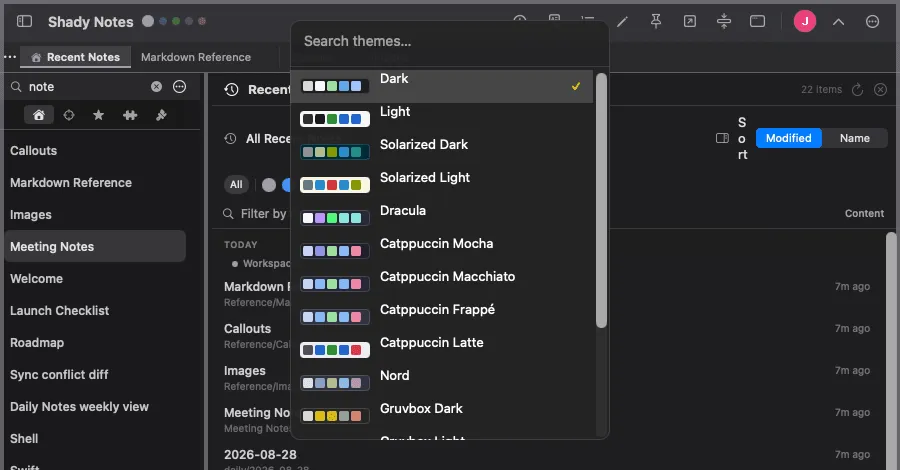
Switching
Section titled “Switching”| Action | How |
|---|---|
| Quick picker | ⌥⌘T, or the toolbar menu |
| Browse them all | The Themes sidebar tab |
| Preview one | Hover a row — it applies live while you hover |
| Apply | Click the row |
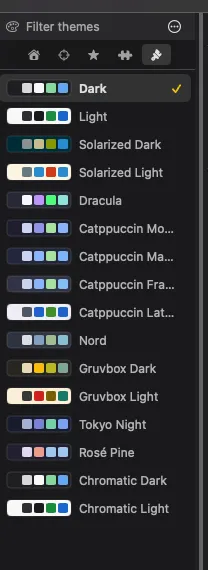
Dark · Solarized Dark · Dracula · Catppuccin Mocha · Catppuccin Macchiato · Catppuccin Frappé · Nord · Gruvbox Dark · Tokyo Night · Rosé Pine · Chromatic Dark
Light · Solarized Light · Catppuccin Latte · Gruvbox Light · Chromatic Light
The chromatic pair
Section titled “The chromatic pair”Chromatic Dark and Chromatic Light have no fixed accent. They take their colour from the active workspace, so headings, links and list markers change as you switch context — the colour tells you where you are without reading anything.
What is free
Section titled “What is free”Premium Three themes are free: Dark, Light and Nord. The other thirteen need a trial or a paid plan. See Licensing.
The free three are a complete set — one dark, one light, one alternative — rather than a crippled default.
Documented against Shady Notes 4.1.19 · release notes