Kanban
A board view driven by front matter in your notes.
Premium Part of the plugin platform. See Licensing.
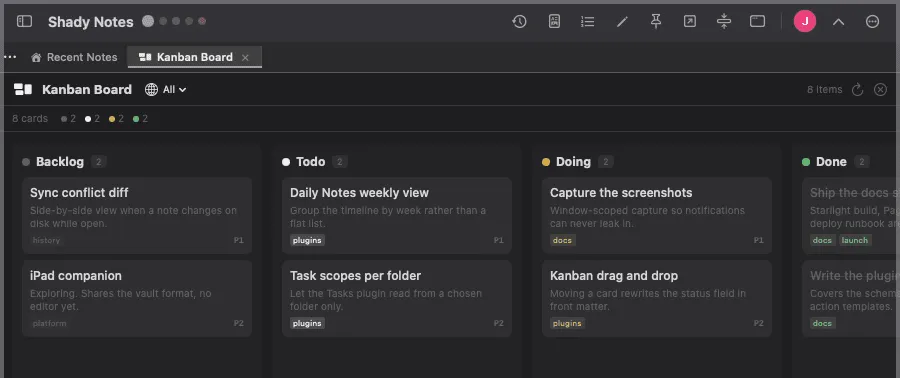
A board whose columns come from a front-matter field. Every card is a real note.
How a card becomes a card
Section titled “How a card becomes a card”Give a note a status:
---status: in-progresspriority: highassignee: samtags: [docs]---
# Publish the docs site
It appears in the in-progress column. Columns are the distinct status
values across the folder.
Dragging
Section titled “Dragging”Dragging a card to another column rewrites status in the file. The board is
an editor, not a display — the change is in the note, visible in any other
editor, and captured by revision history.
Fields it reads
Section titled “Fields it reads”| Field | Used for |
|---|---|
status | Which column |
priority | Card emphasis |
assignee | Shown on the card |
tags | Filtering |
Two board plugins
Section titled “Two board plugins”Kanban is the native one described here. Board is an Obsidian-Kanban-compatible variant that reads that plugin’s format instead — useful if you are coming from Obsidian with boards already set up.
Documented against Shady Notes 4.1.19 · release notes